• News
    • All News
    • Accessories
    • Business
    • Entertainment
    • Gaming
    • Laptops
    • Mobile
    • Monitors
    • PCs & Components
    • Security
    • Smart Home Security
    • Software
    • Storage
    • Streaming
    • Wi-Fi & Networks
    • Windows
  • Best Picks
    • All Best Picks
    • Accessories
    • Business
    • Entertainment
    • Gaming
    • Laptops
    • Mobile
    • Monitors
    • PCs & Components
    • Security
    • Smart Home Security
    • Software
    • Storage
    • Streaming
    • Wi-Fi & Networks
    • Windows
  • Reviews
    • All Reviews
    • Accessories
    • Business
    • Entertainment
    • Gaming
    • Laptops
    • Mobile
    • Monitors
    • PCs & Components
    • Security
    • Smart Home Security
    • Software
    • Storage
    • Streaming
    • Wi-Fi & Networks
    • Windows
  • How-To
    • All How Tos
    • Accessories
    • Business
    • Entertainment
    • Gaming
    • Laptops
    • Mobile
    • Monitors
    • PCs & Components
    • Security
    • Smart Home Security
    • Software
    • Storage
    • Streaming
    • Wi-Fi & Networks
    • Windows
  • Deals
  • Laptops
  • Windows
  • Security
    • Smart Home Security
  • Streaming
    • Cord-Cutter Confidential
  • More
    • Accessories
    • Business
    • Entertainment
    • Gaming
    • Mobile
    • Monitors
    • PCs & Components
    • Software
    • Storage
    • Wi-Fi & Networks
  • Newsletters
  • Digital Magazine – Subscribe
  • Digital Magazine – Info
  • Smart Answers
  • Client Content
    • BrandPosts
    • The 1Password Guide to Password Managers
    • The Avast Online Security Buyer’s Guide
    • The Dell 2026 buying guide: Laptops, monitors and Alienware gaming gear
    • The 2026 ECOVACS Robot Vacuum & Window Robot Buying Guide
    • The GIGABYTE Guide to AI Gaming Laptops
    • The MSI AI PC Buyer’s Guide
    • The MSI Guide to Wi-Fi 7: How to Fix Wireless Dead Zones and Upgrade to Wi-Fi 7 at Home
    • The Norton Security Buyer’s Guide
    • The Norton Small Business Security Buyer’s Guide
    • The ROG Custom Gaming Keyboard Buyer’s Guide
    • The T-Mobile 5G and Fiber Home Internet Buying Guide
    • The ZOTAC GAMING Graphics Card & MEK PC Buyer’s Guide
Skip to content
  • Menu
    • All News
    • Accessories
    • Business
    • Entertainment
    • Gaming
    • Laptops
    • Mobile
    • Monitors
    • PCs & Components
    • Security
    • Smart Home Security
    • Software
    • Storage
    • Streaming
    • Wi-Fi & Networks
    • Windows
    • All Best Picks
    • Accessories
    • Business
    • Entertainment
    • Gaming
    • Laptops
    • Mobile
    • Monitors
    • PCs & Components
    • Security
    • Smart Home Security
    • Software
    • Storage
    • Streaming
    • Wi-Fi & Networks
    • Windows
    • All Reviews
    • Accessories
    • Business
    • Entertainment
    • Gaming
    • Laptops
    • Mobile
    • Monitors
    • PCs & Components
    • Security
    • Smart Home Security
    • Software
    • Storage
    • Streaming
    • Wi-Fi & Networks
    • Windows
    • All How Tos
    • Accessories
    • Business
    • Entertainment
    • Gaming
    • Laptops
    • Mobile
    • Monitors
    • PCs & Components
    • Security
    • Smart Home Security
    • Software
    • Storage
    • Streaming
    • Wi-Fi & Networks
    • Windows
  • Deals
  • Laptops
  • Windows
    • Smart Home Security
    • Cord-Cutter Confidential
    • Accessories
    • Business
    • Entertainment
    • Gaming
    • Mobile
    • Monitors
    • PCs & Components
    • Software
    • Storage
    • Wi-Fi & Networks
  • Newsletters
  • Digital Magazine – Subscribe
  • Digital Magazine – Info
  • Smart Answers
    • BrandPosts
    • The 1Password Guide to Password Managers
    • The Avast Online Security Buyer’s Guide
    • The Dell 2026 buying guide: Laptops, monitors and Alienware gaming gear
    • The 2026 ECOVACS Robot Vacuum & Window Robot Buying Guide
    • The GIGABYTE Guide to AI Gaming Laptops
    • The MSI AI PC Buyer’s Guide
    • The MSI Guide to Wi-Fi 7: How to Fix Wireless Dead Zones and Upgrade to Wi-Fi 7 at Home
    • The Norton Security Buyer’s Guide
    • The Norton Small Business Security Buyer’s Guide
    • The ROG Custom Gaming Keyboard Buyer’s Guide
    • The T-Mobile 5G and Fiber Home Internet Buying Guide
    • The ZOTAC GAMING Graphics Card & MEK PC Buyer’s Guide
  • Hot Topics
  • Best laptops
  • Best VPN
  • Best antivirus
  • Best SSDs
  • Best monitors
  • Laptop deals
  • Desktop PC deals
  • Newsletters

Latest Monitors How-To Stories

SEE MONITOR STORIES BY CATEGORY

  • Monitors
  • Monitor News
  • Monitor Best Picks
  • Monitor Reviews
  • Monitors How-To
More
    4 PC parts you should never skimp on
    How-To

    4 PC parts you should never skimp on

    When it comes to core components, it pays not to cut corners.

    By Friedrich Stiemer 2 months ago
    When should you worry about OLED burn-in on PCs? We asked an expert
    Tip

    When should you worry about OLED burn-in on PCs? We asked an expert

    Tim of Hardware Unboxed and Monitors Unboxed knows more about OLED burn-in than anyone, which is why Adam chatted him up at CES 2026.
    By Michael Crider 3 months ago
    Your monitor's USB ports are hiding secret powers
    Tip

    Your monitor's USB ports are hiding secret powers

    Many modern monitors include fast USB hubs that often go unused, though they can enhance your setup.
    By Friedrich Stiemer 4 months ago
    I caved and bought an $80 portable monitor. Now I love working remotely
    Tip

    I caved and bought an $80 portable monitor. Now I love working remotely

    I no longer have to sacrifice productivity when working out of restaurants, cafés, and hotels.
    By Gabriela Vatu 6 months ago
    Your OLED display’s worst enemy: burn-in. Here’s how to fight back
    How-To

    Your OLED display’s worst enemy: burn-in. Here’s how to fight back

    OLED displays are becoming increasingly popular. However, many buyers fear unsightly burn-in effects. With the right measures, you can extend the life of your OLED screen.

    By Ines Walke-Chomjakov 7 months ago
    I fixed my monitor's pixels to make the screen look like new
    Try This

    I fixed my monitor's pixels to make the screen look like new

    Discovering dead or stuck pixels in a screen can naturally affect your enjoyment. But thankfully there is a simple fix.
    By Dominic Bayley 10 months ago
    Always hit the wrong buttons on your monitor? Try this hack
    Tip

    Always hit the wrong buttons on your monitor? Try this hack

    I kept pressing the wrong buttons on my display when changing the input or messing with the settings. Then the dim lightbulb in my head flickered to life.
    By Alaina Yee 1 year ago
    Why is my HDMI connection buzzing?
    How-To

    Why is my HDMI connection buzzing?

    If your monitor or an HDMI connection is humming, you should rule out a fault. Here you can read how to recognize faulty cables or devices and how to eliminate the annoying noise.
    By Steffen Zellfelder 1 year ago
    How to prevent screen flickering when playing games
    Tip

    How to prevent screen flickering when playing games

    If your monitor flickers when playing games, this could be due to the "Variable Refresh Rate" (VRR) function. Here's how to check whether VRR is to blame and how to solve the problem.
    By Friedrich Stiemer 1 year ago
    How to configure a multi-monitor PC setup like a pro
    How-To

    How to configure a multi-monitor PC setup like a pro

    A multi-monitor setup can significantly increase productivity. These Windows tricks will make the experience even better.
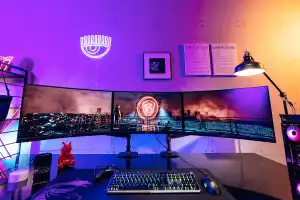
    By Friedrich Stiemer 1 year ago
    Buying a monitor on Cyber Monday? You'll need these 10 accessories, too
    Tip

    Buying a monitor on Cyber Monday? You'll need these 10 accessories, too

    Use your Cyber Monday monitor from the first day it arrives with these handy monitor accessories.
    By Dominic Bayley 1 year ago
    How to make an old monitor look more colorful
    How-To

    How to make an old monitor look more colorful

    That old monitor you have tucked away in a back room may not seem as colorful as a brand-new one with a higher resolution and quicker refresh rate, but simply correcting the color may be all that's needed to give it new life.
    By Dominic Bayley 1 year ago
    5 simple monitor adjustments everyone should make
    How-To

    5 simple monitor adjustments everyone should make

    Whether for work or gaming, many people set up their monitor incorrectly. Here's how to avoid the biggest mistakes.
    By Laura Pippig 1 year ago
    How to use an external monitor with a gaming laptop
    How-To

    How to use an external monitor with a gaming laptop

    If your gaming laptop screen feels too cramped, hook up an external monitor! Here's how to do it and what you need to know.
    By Jon Martindale 2 years ago
    Use your TV as a computer monitor: Everything you need to know
    Updated

    Use your TV as a computer monitor: Everything you need to know

    Will that big, sexy screen look as good on your desk as it does in your living room? Let's dig into the specifics of using an HDTV with your PC.
    By Sarah Jacobsson Purewal 2 years ago
    How to use a laptop with multiple monitors: The ultimate guide
    How-To

    How to use a laptop with multiple monitors: The ultimate guide

    If you work exclusively with your laptop, and enjoy media or play games, a second or third screen is a must. You can find suitable solutions here.
    By Ines Walke-Chomjakov 2 years ago
    1080p, 1440p, 4K: Which monitor resolution should you choose?
    How-To

    1080p, 1440p, 4K: Which monitor resolution should you choose?

    Choosing the right monitor depends on several factors, including pixel count and refresh rate. We compare the advantages and disadvantages of 1080p, 1440p, and 4K monitors.
    By Friedrich Stiemer 2 years ago
    How to set up two monitors for double the screen real estate
    Updated

    How to set up two monitors for double the screen real estate

    Whether you're using a desktop or laptop PC, a dual-monitor setup is an easy upgrade that pays big returns in productivity.
    By Katherine Stevenson 3 years ago
    How to create an insane multiple monitor setup with three, four, or more displays
    Updated

    How to create an insane multiple monitor setup with three, four, or more displays

    The more displays your computer has, the better—but there are considerations to keep in mind as you move into extreme multi-monitor setups for enhanced productivity and gaming.
    By Sarah Jacobsson Purewal and Brad Chacos 3 years ago
    Seeing blurry, distorted patches of red on your new monitor? Try this fix
    How-To

    Seeing blurry, distorted patches of red on your new monitor? Try this fix

    Do red text and images on your monitor look like a highly compressed JPEG file? Don’t worry, it’s probably not an issue with your panel.
    By Alaina Yee 3 years ago
    1 2 3 Next
    PCWorld helps you navigate the PC ecosystem to find the products you want and the advice you need to get the job done.
      • Privacy Policy
      • Cookie Policy
      • Terms of Service
      • Copyright Notice
      • European Privacy Settings
      • Member Preferences
      • Editorial independence
      • Licensing & Eprints
      • California: Do not Sell my Personal Info
      • About Us
      • Advertise
      • Ad Choice
      • Contact Us
      • Foundry Careers
      • GamePro
      • Smart Answers
      • Business

        Laptop

        Mobile

        PC Hardware

        Storage

        Deals

      • Digital Magazine - Subscribe

        Digital Magazine - Info

        Gift Subscription

        Newsletters

    © 2026 FoundryCo, Inc.
    Top Of Page